
You open your planner after a week away. Tuesday's tasks are still on Tuesday. Several reminders have expired. A project you finished is sitting beside one you no longer intend to do.
Before you can plan today, the list seems to demand an afternoon of maintenance. Closing it again is tempting.
Give yourself a smaller job. Find the commitments that still matter, decide what needs a response, and make a usable plan for the next day. The rest of the backlog can wait for its own session.
The recovery plan below is a practical suggestion you can adapt. Its aim is to make the planner usable while you work out what became stale. It doesn't depend on maintaining a perfect streak or starting with a new app.
Check the places where promises were made
Your old task list may contain useful reminders, but it isn't necessarily a complete account of what you owe now. Check your calendar, recent messages and the work you've actually been doing.
Look for a booked appointment, a promised delivery, an unanswered request or something needed before another person can continue. Record the date and enough context to act. "Send the updated figures to Jo before Thursday's meeting" is easier to assess than "figures."
Use a short session if that helps you begin. Its length is a choice, not a deadline by which the whole system must be repaired. If you uncover a serious missed commitment, deal with that before continuing the tidy-up.
An old reminder is worth checking. It isn't proof that its original date is still the right date.
Decide what each old task means now
Suppose your list contains these items:
| Old entry | What you find | What to do with it |
|---|---|---|
| Send client draft | You sent it on Friday | Mark it finished after checking the sent file |
| Compare three desk lamps | You already bought one | Remove the obsolete reminder |
| Book annual service | Still needed, no appointment made | Choose when to contact the garage |
| Finish proposal | A colleague is waiting for it | Confirm the delivery requirement and plan the remaining work |
Those tasks need different decisions. Moving every item to today would hide the differences and produce another list you can't finish.
Keep an uncertain task if deleting it would lose useful information. Add a brief question, such as "Check whether the client still needs this version." You can investigate it in the cleanup session rather than treating it as an immediate promise.
Separate the promised date from the next work session
A calendar block you missed is a plan that didn't happen. A deadline you agreed with someone is a commitment that may need a conversation.
Move the next work session to a realistic opening. Then check whether the remaining work still fits before delivery. If it doesn't, contact the person affected. Moving a block in your planner doesn't tell them that the date has changed.
For the proposal, you might need an hour to finish the comparison and another session to check it. Finding only one spare half-hour tells you something useful. You need a different plan, a smaller agreed scope or an agreed deadline change.
Don't put a hopeful finish date into the calendar and leave the conversation for later.
Make the next opening useful
Choose a small set of work for tomorrow around the commitments already fixed. Leave the wider backlog in view somewhere you can return to it without making it today's entire task list.
Write the next action beside the material needed. "Open the comparison sheet and check the missing supplier quote" gives the session a clear beginning. A reminder that says "catch up" leaves you to repeat the decisions you've just made.
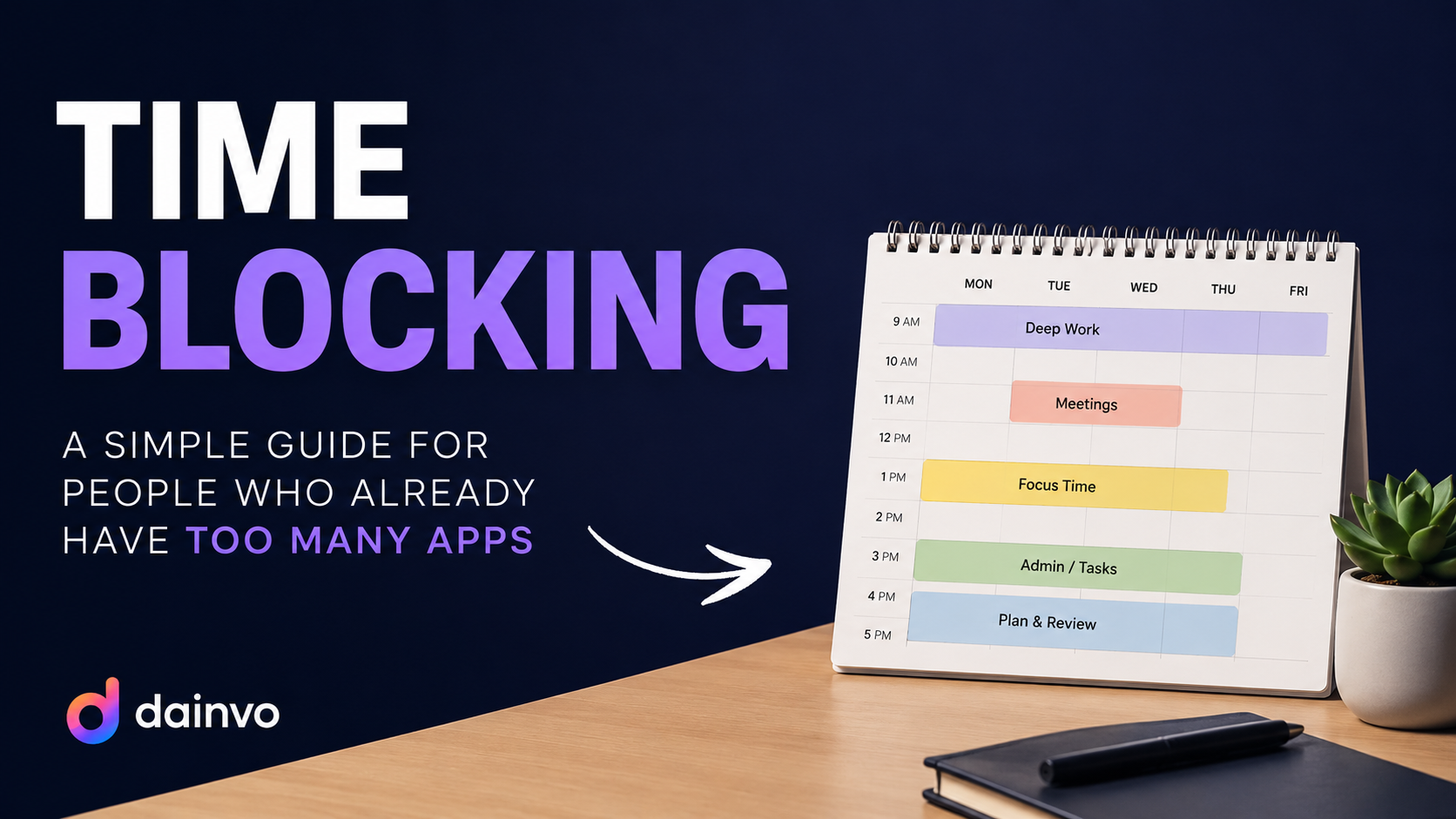
You can do this with paper and a calendar. Dainvo's task blocks keep a task's due date separate from its scheduled work block. Moving the block doesn't change the original due date. On desktop, My Day is a Pro feature; removing a My Day choice also doesn't remove another date or reminder that still brings the task into that day.
Try one recovery pass before changing systems
Imagine you return on Monday with 47 overdue entries and a client call on Tuesday. You have 25 minutes before lunch. That is enough time to make several decisions, though it may be nowhere near enough to inspect all 47 entries.
Check Tuesday's call first. Find the agenda and confirm that the promised comparison is still needed. Your sent folder shows that an earlier draft went out, so that entry can be marked complete. The missing supplier quote remains a separate next action.
You now have a small plan: request the quote today, reserve a comparison session tomorrow before the call, and put the remaining old list aside for a later review. If the quote cannot arrive in time, the next step is a message about the call's scope. Sorting labels won't resolve that dependency.
Keep a short recovery note somewhere easy to find:
Current commitment: Tuesday's client call. Waiting for: supplier quote. Next work: compare the quote with the draft already sent. Old list: review Thursday; dates still need checking.
That last line matters. An unreviewed backlog is not a trustworthy list of current deadlines. If it may contain urgent commitments, reserve an earlier scan of those items or get help identifying them. Don't hide important work behind a reassuring label.
Repair the part that made returning difficult
Once you've used the planner again, look at what kept you away. Were there too many capture places? Did every task need several labels before you could save it? Did a missed day create so much overdue noise that opening the app felt unpleasant?
Change one of those things and try the simpler version. You might keep one capture list, remove an unnecessary field or stop assigning dates to tasks that only belong on a later list.
If the same commitments keep exceeding the time available, a cleaner planner won't fix the workload. That needs its own decision.
For now, leave tomorrow's first useful action where you'll see it. Returning to the planner has done its job when it helps you decide what to do next, even while some old tasks still need sorting.
Give the next review a narrow purpose
Return to the old list to answer the questions you parked. Stop when the commitments you need for the next few days are clear, or when your available review time ends. Keep a note of what remains unchecked. For ongoing maintenance, the weekly review template provides a broader task-and-calendar check.
If the planner falls out of use again, reuse the same recovery pass. The test is whether opening it helps you make a real decision, not whether you preserved an unbroken habit.