
Resources
Practical advice for managing coursework, making time for rest, and planning your week. Explore study guides, planning methods and app comparisons.
 How to ask for useful feedback on unfinished workGet useful feedback before polishing a draft. Choose a question, send a small reviewable piece, agree on timing and turn the response into a next step.
Student planning
Help with assignments, exams, paid work and finding time to rest.
 Time blocking for college students: how to build a realistic weekBuild a realistic college week around classes, work and rest, then add specific study sessions. Learn how to adjust your time blocks when life interrupts.
 How to catch up when you're behind in collegeDecide what to tackle first when college work piles up. Check what you can still submit, protect current deadlines and make a plan you can actually use.
 How to make time for rest without feeling guilty about studyingFind a stopping point for studying, leave yourself a clear way back, and protect time off without turning every break into another chance to catch up on work.
 How to keep track of assignments across Canvas, email and paperKeep college assignments in one list even when instructions arrive through Canvas, email, paper or class announcements, and check that submissions went through.
 What to do when your college schedule is too fullYour college schedule may demand more time than you have. Learn how to check the workload, make a useful change, and ask for help before falling further behind.
 How to balance college and a part-time jobBuild a college week around the paid hours you need, real study demands, and travel. Get practical ways to handle changing shifts and prepare for exam weeks.
 How to study for multiple exams in one weekPlan for several college exams without giving all your time to the first. Choose study sessions, practise answering questions and adjust when you get stuck.
 Starting college assignments with ADHD: making the first step smallerStruggling to start a college assignment? Make the first action smaller, handle unclear instructions and perfectionism, and know when to ask for support.
 How to estimate study time when assignments take longer than expectedEstimate study time using your own assignments, leave room for breaks and submission, and adjust your plan when a reading or problem set takes longer.
 GTD for college studentsUse GTD to keep track of college assignments, choose your next action and review upcoming work. Follow a practical paper example, with an optional Dainvo setup.
Guides
Planning methods, practical calendar advice and guides to choosing the right tools.
How to ask for useful feedback on unfinished workGet useful feedback before polishing a draft. Choose a question, send a small reviewable piece, agree on timing and turn the response into a next step. Make a backup plan for the obstacle you can already seePrepare a practical backup plan for one likely obstacle: choose when to switch, test the alternative, and tell people what changes before you get stuck.
 How to restart your planner after you've stopped using itReturn to an abandoned planner without sorting the whole backlog. Check current commitments, keep useful tasks and make tomorrow easier to open again.
 ADHD task transitions: make room between one thing and the nextA plan needs time to finish work, pack up and begin again. Try practical ways to handle task transitions without filling the calendar with more rules.
 Body doubling for admin: how to plan a useful sessionTry working alongside someone else on everyday admin. Agree on the task, privacy, possible interruptions and a stopping point before the session begins.
 When a short break turns into an hour of scrollingPlan a short break with a clearer ending. Decide what you're doing, how you'll stop and where you'll return, without turning rest into another task list.
 Give an AI assistant one planning job you can checkUse AI for a bounded planning task. Specify the information, constraints and proposed result, then check the plan before changing your actual calendar.
 Turn a saved tutorial into a practice session you'll actually useChoose one saved tutorial today, define something to make and reserve time to try it. Use AI for a specific obstacle while keeping the practice your own.
 A monthly review that helps you stop doing somethingUse your calendar and project notes to review the whole month. Decide what to continue, change or pause before adding another new goal to the next one.
 Things 3 alternatives for Windows, Android and LinuxKeep the calm of Things on Windows, Android and Linux, with Todoist, TickTick, Microsoft To Do or a calendar-first planner.
 Best calendar apps for Windows 11 in 2026Windows Mail and Calendar are gone. Compare Outlook, Fantastical, Notion Calendar, Dainvo and more for Windows 11.
 How to merge Google Calendar and Outlook calendar (3 ways)See Google and Outlook in one view: compare read-only feeds, editable account connections and a planner with tasks.
 How to use Apple Calendar (iCloud) on WindowsUse iCloud.com, connect iCloud to classic Outlook, or choose an iCloud-capable Windows calendar app.
 Best calendar and planner apps for Linux in 2026GNOME Calendar, KDE, Thunderbird, Todoist, TickTick, Morgen and Dainvo compared for Google, Outlook and CalDAV on Linux.
 How to put Microsoft To Do tasks on your Outlook calendarCreate work-session events from To Do in new Outlook or on the web, troubleshoot missing tasks, and compare Dainvo's linked task blocks.
 Fantastical alternatives for Windows, Linux and AndroidFantastical now runs on Windows but not Linux or Android. Compare Outlook, Morgen, Thunderbird, Notion Calendar and Dainvo.
 Meeting preparation checklist: a 10-minute final checkPrepare material in advance, use a ten-minute final check, and capture decisions and follow-ups with a copy-ready template.
 How to show multiple time zones in your calendar (Google, Outlook, Dainvo)Add comparison time zones in Google Calendar, Outlook and Dainvo, then check meeting dates and daylight-saving changes.
 How to manage multiple projects with competing deadlinesEstimate hours, count real free time, decide early what gives, and give each project sessions on the calendar.
 Is there a Structured app for Windows? Visual day planners for PCUse Structured's web planner on Windows, check its sync and mobile feature limits, or compare native desktop alternatives.
 The best personal project management apps for solo workTrello, Todoist, Notion, ClickUp and Dainvo Projects compared for freelancers, solopreneurs and side projects.
 Task batching vs time blocking: what's the difference and when to use eachBatch small similar tasks, block time for focused work, and combine both in one day plan.
 Weekly review template: a 30-minute reset for your tasks and calendarTry a 30-minute starting budget for a GTD-inspired weekly review, then schedule next week's priorities and a separate cleanup block if needed.
 Eisenhower matrix examples: how to prioritize when everything feels urgentDo, Schedule, Delegate and Delete with examples for work, school and home, and how to give important work real time.
 How to use ChatGPT or Claude to plan your day (with prompts)Use copy-ready ChatGPT or Claude prompts, check a worked daily schedule, and compare calendar connections with Dainvo's approval controls.
 One-on-one meeting template for managers and employeesA simple one-on-one agenda, good questions for managers and employees, and a running note that carries between meetings.
 Best planner apps for college students in 2026Free and paid planner apps for classes, assignments, exams and shifts, plus a simple semester setup.
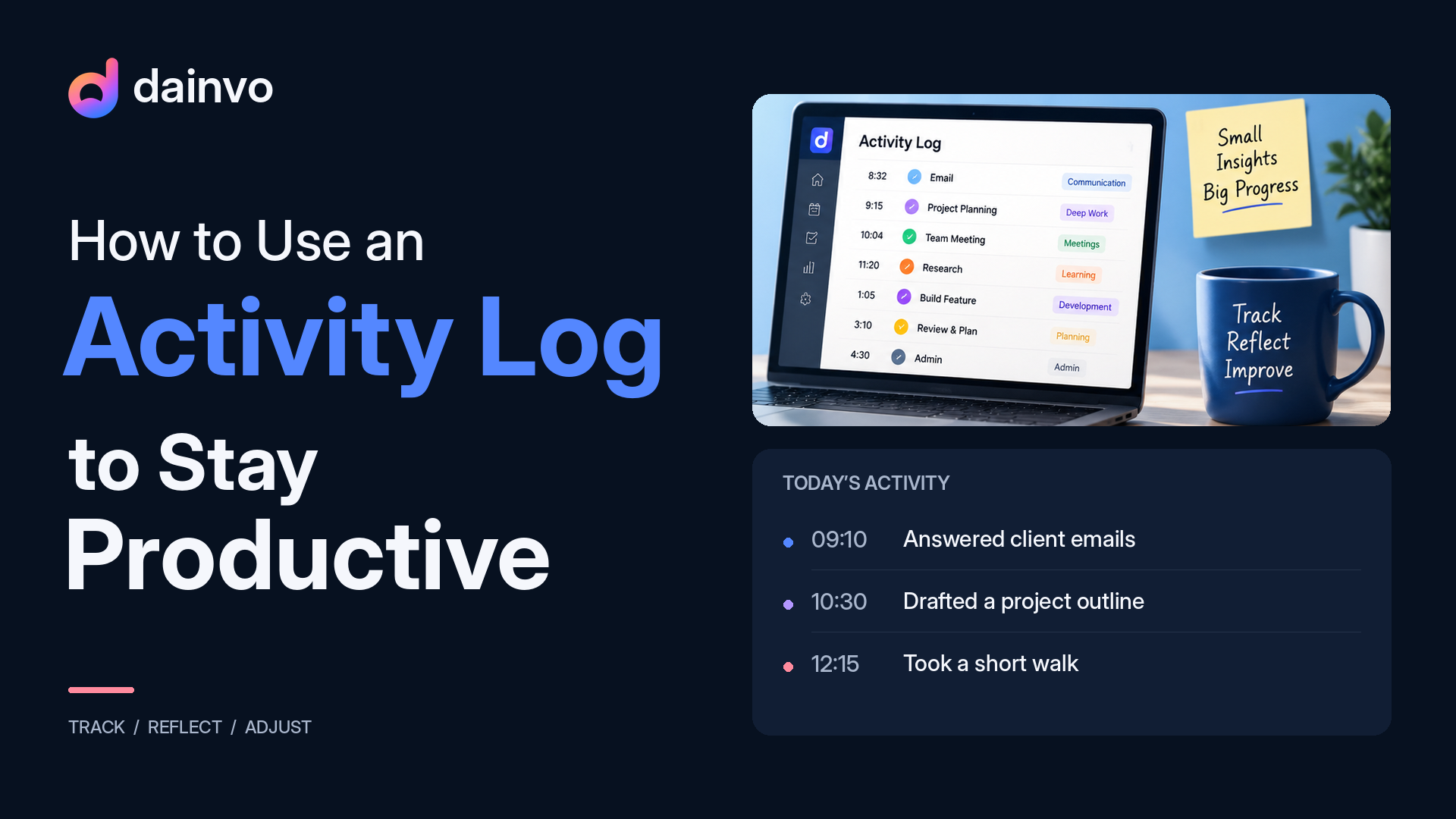 How to Use an Activity Log to Stay ProductiveKeep a short record of work sessions, outcomes, and obstacles to make tomorrow's plan more realistic.
 How I use an activity log to get back on track with ADHDMy way of getting back on task: log what happened, check off completed steps, and use the time left on the calendar to set a deadline.
 ADHD Productivity: How to Make the Day Easier to StartMap ADHD productivity research to Dainvo features like day planning, task blocks, buckets, daily notes, meeting links, and local file links.
 ADHD Time Blocking: How to Protect Focus Without OverplanningUse Dainvo task blocks, buckets, daily notes, and realistic calendar space to make ADHD focus sessions easier to start and protect.
 Best Apps That Combine Calendar and TasksSee how calendars, tasks, meetings, notes, buckets, and files can come together in one realistic daily planning view.
 Time Blocking Guide for People Who Already Have Too Many AppsLearn how to time block around calendars, tasks, meetings, notes, buckets, and files without migrating everything into another app.
 Best Calendar and Productivity Apps for Busy PeopleA broader ranking for busy students and professionals comparing calendar apps, productivity tools, task systems, and planning workflows.
 Best Sunsama Alternatives for Calm PlanningCompare calm planners, AI schedulers, calendar automation, and lower-cost task-first options for replacing Sunsama.
 Best Akiflow Alternatives for Smarter, Simpler Daily PlanningA practical guide to choosing between simpler planning, broader AI, calmer rituals, automation, and task-first alternatives.
Comparisons
Direct comparisons for Motion, Morgen, Sunsama, and Akiflow alternatives.
 Todoist vs TickTick in 2026: which to-do app fits how you workFast capture and integrations against habits, a focus timer and a lower price, plus how to give either app's tasks real time.
 Microsoft To Do vs Google Tasks: the free to-do apps comparedTwo free to-do apps compared on My Day, desktop apps, calendar links and limits, and how to plan both in one week.
 Notion Calendar vs Google Calendar: what actually changesWhat Notion Calendar changes about your Google, iCloud and Outlook calendars, what it doesn't, and when a planner fits better.
 Reclaim vs Motion: two AI schedulers, and when to plan it yourselfTwo AI schedulers compared on how they plan, calendar support and price, and when approval-first planning suits you better.
 Dainvo vs Motion: Realistic Planning vs AutopilotAutopilot AI scheduling compared with a clearer, user-controlled way to plan the day.Dainvo vs Sunsama: Calm Planner ComparisonGuided planning rituals versus practical day clarity with calendars, tasks, meetings, and files together.
 Dainvo vs Morgen: AI Suite or Simpler Planner?A full AI planning suite compared with a lighter planner built around the workday itself.Dainvo vs Akiflow: Calm Planner ComparisonPower-user capture and command-center planning compared with calmer daily execution.