Akiflow is a strong planner for people who want speed, capture and control.
It has a Universal Inbox that imports tasks from 3000 plus tools, Aki as an AI executive assistant, prompt based workflows, meeting notifications, time blocking, shortcuts, focus tools, stats and offline support.
That is exactly why some people look for Akiflow alternatives.
Not because Akiflow is weak. Because it can be more system than they want.
You may be looking for a different planner because Akiflow feels expensive, too complex, too power user focused or too centered on inbox processing. Akiflow currently lists Pro Yearly at $19 per month billed yearly and Pro Monthly at $34 per month.
This guide is not a giant list for the sake of it. It is a practical guide to the best Akiflow alternatives by the reason you are switching.
Quick verdict: best Akiflow alternatives
| Best for | App | Why choose it | Pricing tier |
|---|---|---|---|
| Simpler value pick | Dainvo | Calendars, tasks, meetings and files in one clear daily planning workspace. | Free, or Pro at the $5 monthly launch price. |
| Broad AI planning suite | Morgen | Strong AI Planner, calendar breadth, task integrations and platform coverage. | $15 per month billed yearly or $30 monthly. |
| Calm guided planning | Sunsama | Daily planning rituals, shutdown, focus mode, analytics and calmer work habits. | $17 per month billed yearly or $22 monthly. |
| Full AI scheduling | Motion | AI calendar that builds and reshuffles your schedule automatically. | Pro AI at $19 per seat per month on annual pricing. |
| Calendar automation layer | Reclaim | Smart focus time, habits, tasks, meetings and calendar sync. | Free, Starter from $10 per seat per month. |
| Task first reset | Todoist | Strong task manager with calendar layout and reminders. | Free plus paid Pro. |
Why people switch away from Akiflow
Akiflow is built like a command center.
That is useful if tasks come from email, Slack, meetings, project tools and quick capture moments. Its features page highlights automatic imports, task capture from email or messages, refined import options, Google Calendar, Outlook, Gmail, Slack, Microsoft Teams, Zoom and more.
But users usually compare alternatives for one of six reasons:
| Reason | What it usually means |
|---|---|
| Cost | You like Akiflow but do not want to pay $19 to $34 per month. |
| Complexity | You do not need a Universal Inbox and a full power user workflow. |
| Calm planning | You want a planner that feels lighter and less reactive. |
| AI style | You want more AI planning, less AI, or more manual control. |
| Platform fit | You need Linux, broader mobile support, or a different workflow. |
| Stack fit | You want to keep Todoist, Microsoft To Do, Google Tasks or your current task app. |
Before choosing an Akiflow alternative, decide which complaint is real.
If the problem is "I want more integrations and AI," choose Morgen. If the problem is "I want calmer planning habits," choose Sunsama. If the problem is "I want less tool overhead," start with Dainvo.
1. Dainvo: best simple value alternative
Dainvo is the best Akiflow alternative if you want the core planning job without the heavier command center.
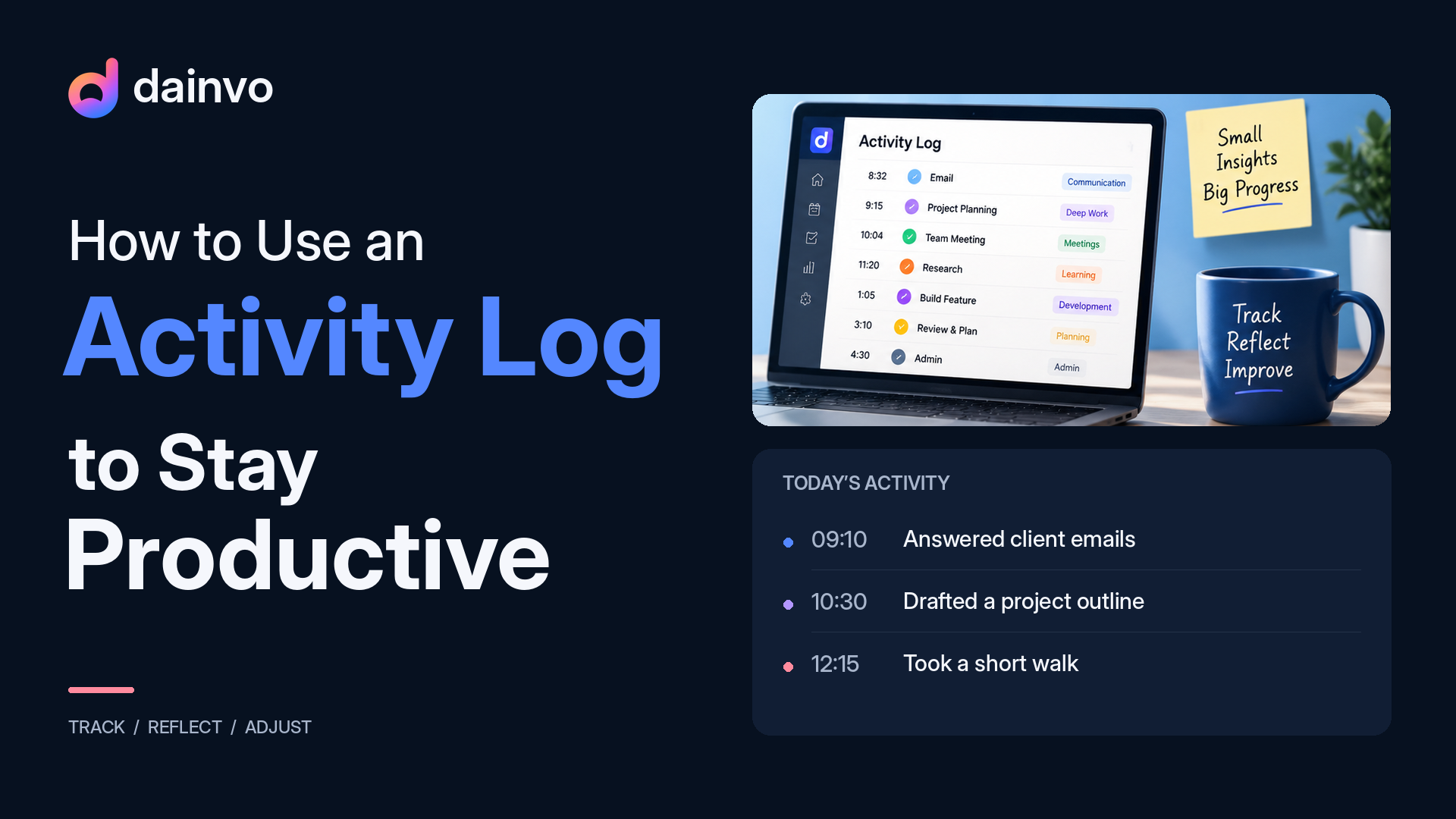
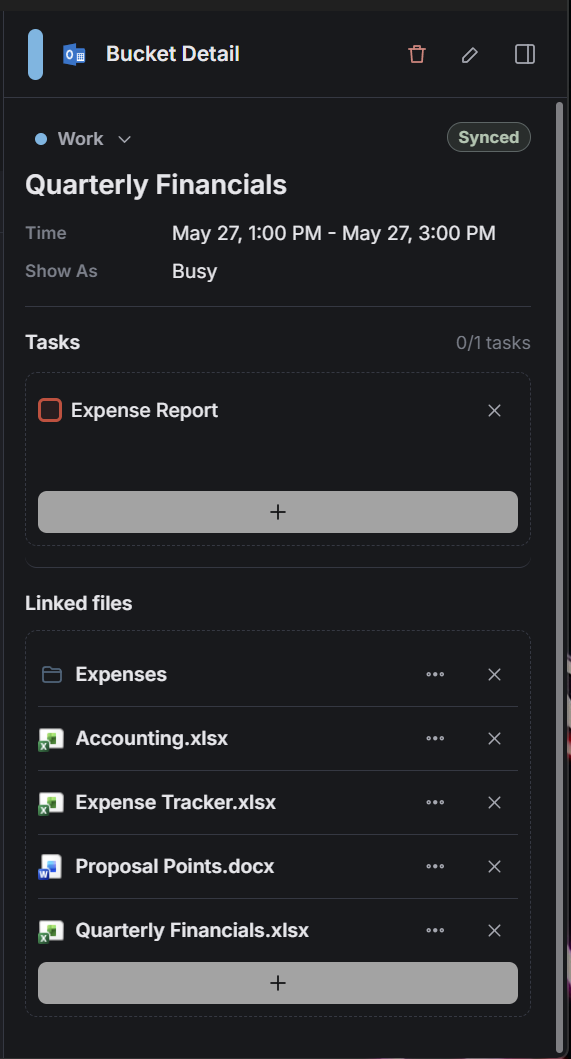
Dainvo brings calendar events, tasks, family plans, meetings and files into one clear planning view. It also lets users keep tasks beside the plan and create tasks in their favorite task app without leaving Dainvo.
That is the main difference from Akiflow.
Akiflow is strongest when your work needs to be captured from everywhere. Dainvo is strongest when your day needs to become clear enough to start.
Best for: Dainvo is best for busy professionals, students, freelancers and founders who want one place for calendars, tasks, meetings and files without paying for a larger planning system than they need.
| Strength | What it means |
|---|---|
| One clear day view | Calendars, tasks, meetings and files sit close to the schedule. |
| Work session planning | A single block can hold the tasks and files needed to start. |
| Existing task app support | Dainvo supports two way sync with task integrations. |
| Meeting readiness | Meeting links stay close to the rest of the day. |
| Lower cost | Dainvo lists Free and Pro, with Pro at a $5 monthly launch price. |
Dainvo's current connections cover Google, Outlook, Apple, and CalDAV calendars; Dainvo Tasks, Google Tasks, Microsoft To Do, Todoist, TickTick, and Obsidian tasks; Google Meet, Microsoft Teams, Zoom, and Webex; and optional ChatGPT, Codex, and Claude connections. Outlook Email follow-up is in development and is not available in the current release.
Dainvo's pricing page lists Free and Pro. Pro is $5 per month or $48 per year at the launch price and includes access to all integrations, unlimited calendar and task app sync, and meetings and files in one place.
Not for: Dainvo is not the best choice if you want Akiflow's Universal Inbox, advanced shortcuts, Aki workflows or a wide 3000 plus tool capture layer.
Migration cue: Start with Dainvo if your real problem is scattered context. Connect your calendars, connect your task app, then plan one normal workday from Dainvo before replacing anything else.
Best internal follow up: Dainvo vs Akiflow.
2. Morgen: best for a broader AI planning suite
Morgen is the best Akiflow alternative if you want more breadth, not less.
Morgen's own Akiflow comparison says both tools bring calendars, tasks and daily planning into one app, then positions Morgen around AI planning, smart task prioritization, calendar automations, more calendar providers and broader platform support.
Morgen's AI Planner recommends daily plans based on priorities, capacity, rhythms, power hours and goals, while still letting users tune and approve the plan.
Best for: Morgen is best for professionals who want a serious planning suite with AI support, many calendar connections, task imports, scheduling links and cross platform access.
| Strength | What it means |
|---|---|
| AI Planner | Suggests time blocked plans instead of only manual scheduling. |
| Calendar breadth | Supports Google, Outlook, Apple Calendar, Fastmail and CalDAV. |
| Task integrations | Connects with tools like Notion, Todoist, ClickUp, Linear and more. |
| Scheduling tools | Booking page, scheduling links and calendar automation. |
| Platform coverage | Windows, macOS, Linux, mobile and browser apps. |
Morgen's pricing page lists the individual Yearly plan at $15 per month billed yearly and the Monthly plan at $30 per month. It also lists unlimited calendar and task integrations, calendar automations, booking page, scheduling links and apps for Windows, macOS, Linux, mobile and browser.
Not for: Morgen may be more product than you need if your goal is simply to make today's tasks, meetings and files easier to see.
Migration cue: Choose Morgen if leaving Akiflow would make you miss broad integrations, cross platform coverage and advanced planning. Do not choose Morgen just to simplify. Choose it when you want a bigger planning suite.
Best internal follow up: Dainvo vs Morgen.
3. Sunsama: best for calm guided planning
Sunsama is the best Akiflow alternative if you want a calmer planning routine.
Sunsama positions itself as a task manager, calendar and daily planner for modern professionals, with a focus on feeling calm, staying focused and doing high impact work without burning out.
Its comparison page also highlights guided planning and rituals, daily shutdown and highlights, focus mode, Pomodoro, analytics, timeboxing, task app integrations and meeting scheduling links.
Best for: Sunsama is best for people who want the planner to guide their daily habits, not just hold tasks.
| Strength | What it means |
|---|---|
| Guided daily planning | Helps you choose a realistic workload. |
| Shutdown routine | Helps close the workday with less mental residue. |
| Focus support | Focus mode, Pomodoro and reminders. |
| Analytics | Shows where time went. |
| Broad work tool inputs | Pulls from project, task, email and messaging tools. |
Sunsama lists a 14 day free trial, a Pro plan at $17 per month billed yearly, and $22 per month billed monthly.
Not for: Sunsama is not the cheapest option and may feel like too much ritual if you already plan well on your own.
Migration cue: Choose Sunsama if you are leaving Akiflow because you want less command center energy and more guided planning discipline.
Best internal follow up: Dainvo vs Sunsama.
4. Motion: best for full AI scheduling
Motion is the best Akiflow alternative if you want the app to plan your day for you.
Motion's auto-scheduling documentation says its AI places tasks in time slots based on priorities, deadlines and availability, then adapts as the day changes.
That is a different direction from Akiflow. Akiflow gives power users a fast way to capture, organize and time block work. Motion is more automation led.
Best for: Motion is best for users who want AI to schedule tasks, reshuffle the day and keep priorities moving when meetings change.
| Strength | What it means |
|---|---|
| AI scheduling | Builds the schedule automatically. |
| Replanning | Reshuffles when plans change. |
| Task priority | Highlights what to work on next. |
| Broader AI platform | Includes AI projects, tasks, calendar, meetings, docs, wiki and notes. |
| Team options | Business plan adds dashboards, reports, Gantt charts and time tracking. |
Motion's pricing page lists Pro AI at $19 per seat per month and Business AI at $29 per seat per month when annual pricing is selected.
Not for: Motion is not the right replacement if you are leaving Akiflow because you want less automation and more control.
Migration cue: Choose Motion if your main complaint is not that Akiflow is too powerful, but that Akiflow still asks you to make too many scheduling decisions.
Best internal follow up: Dainvo vs Motion.
5. Reclaim: best calendar automation layer
Reclaim is not a direct Akiflow replacement in the same way Dainvo, Morgen or Sunsama are.
It is better described as a calendar automation layer.
Reclaim's pricing page lists AI Focus Time, AI Habits, AI Tasks, Smart Meetings, Scheduling Links, Calendar Sync, Buffer Time, Planner, Time Tracking and People Analytics.
Best for: Reclaim is best for people who want their calendar to defend focus time, schedule habits, place tasks and protect buffers without moving into a full daily planner.
| Strength | What it means |
|---|---|
| Focus time | Automatically defends time for deep work. |
| Habits | Finds time for recurring routines. |
| Smart meetings | Helps resolve scheduling conflicts. |
| Calendar sync | Copies events across calendars to defend availability. |
| Task integrations | Paid plans support tools like Todoist, Asana, ClickUp, Jira and Linear. |
Reclaim lists a free Lite plan, Starter at $10 per seat per month, Business at $15 per seat per month and Enterprise at $22 per seat per month on yearly pricing.
Not for: Reclaim is not the best choice if you want one workspace for tasks, meetings, files and daily execution. It is more about protecting and optimizing the calendar.
Migration cue: Choose Reclaim if you are happy with your current task app and calendar, but want smarter scheduling around them.
6. Todoist: best task first reset
Todoist is the best Akiflow alternative if you want to leave the planner category almost entirely and return to a strong task manager.
Todoist's pricing page lists a free Beginner plan with smart quick add, task reminders, flexible list and board layouts, filter views, activity history and calendar or email integrations. Its Pro plan adds calendar layout, task duration, custom task reminders, reporting history, Task Assist and deadlines.
Best for: Todoist is best for people who mainly need clean task capture and organization, with a calendar layer added when needed.
| Strength | What it means |
|---|---|
| Fast task capture | Easy place to collect work and personal tasks. |
| Calendar layout | Helps plan tasks visually. |
| Reminders | Useful for personal and professional follow up. |
| Broad integrations | Todoist lists 90 plus integrations in its plan comparison. |
| Lower mental overhead | Simpler than a full planning suite. |
Not for: Todoist is not a direct replacement for Akiflow if you rely on meeting workflows, time blocking, daily planning rituals or task capture from many apps into one inbox.
Migration cue: Choose Todoist if leaving Akiflow means you want fewer planning layers. Pair it with Dainvo if you want Todoist tasks beside calendars, meetings and files.
Comparison matrix
| App | Best for | Planning style | Biggest strength | Main tradeoff |
|---|---|---|---|---|
| Dainvo | Simple value planning | Manual clarity | Calendars, tasks, meetings and files in one place | Less mature than Akiflow on power user capture and AI |
| Morgen | Broad AI planning | AI assisted and manual | AI Planner, integrations and platform coverage | More product than some users need |
| Sunsama | Calm habits | Guided daily ritual | Focus, shutdown, analytics and realistic planning | Premium pricing and more ritual overhead |
| Motion | Full automation | AI autopilot | Automatic scheduling and reshuffling | Less manual control over the plan |
| Reclaim | Calendar automation | Smart calendar layer | Focus time, habits, meetings and calendar sync | Not a full daily workspace |
| Todoist | Task first reset | Task manager plus calendar | Clean task capture and organization | Not a meeting or file ready planner |
What not to lose when leaving Akiflow
Akiflow users should be careful not to lose the workflows that made Akiflow useful in the first place.
| Akiflow workflow | Why it matters | How to preserve it |
|---|---|---|
| Quick capture | Tasks arrive fast during the day. | Use Todoist, Microsoft To Do, Google Tasks or TickTick, then connect the task source to Dainvo if you want planning context. |
| Time blocking | Tasks need space on the calendar. | Use Dainvo, Morgen, Sunsama or Motion depending on how much automation you want. |
| Meeting readiness | You need links and reminders close to the plan. | Use Dainvo for meeting links beside the day, Morgen for scheduling breadth, or Sunsama for planning rituals. |
| Integrations | Work comes from multiple tools. | Choose Morgen for maximum breadth, Dainvo for common Google, Microsoft and task app workflows, or Reclaim for calendar automation. |
| Focus support | Planning only helps if you stay on task. | Choose Sunsama for focus mode and shutdown, Motion for AI priority, or Dainvo for simpler work session readiness. |
| Inbox processing | Many tasks come from many tools. | Stay with Akiflow or choose Morgen if broad task imports matter more than simplicity. |
The mistake is switching tools without naming the workflow you want to keep.
If Akiflow's Universal Inbox is the reason you use it, do not replace it with a basic task app. If Akiflow feels too heavy because you do not need that inbox, Dainvo becomes much easier to justify.
Which Akiflow alternative should you choose?
Use this five minute checklist.
Choose Dainvo if: You want calendars, tasks, meetings and files in one place at a lower cost, without building a heavy command center.
Choose Morgen if: You want more AI planning, more integrations, better platform breadth and a planning suite that can grow with you.
Choose Sunsama if: You want a calm daily planning ritual, shutdown routine, focus support and analytics.
Choose Motion if: You want AI to schedule, prioritize and reshuffle your day automatically.
Choose Reclaim if: You want to keep your current stack but add smart calendar automation.
Choose Todoist if: You want to step back from planner complexity and rebuild around a strong task manager.
Best recommendations by switching reason
| Reason you are leaving Akiflow | Best alternative |
|---|---|
| Akiflow feels too heavy | Dainvo |
| Akiflow costs more than you want to pay | Dainvo or Todoist |
| You want better AI planning | Morgen |
| You want calmer planning habits | Sunsama |
| You want more automation | Motion |
| You want calendar protection, not a new planner | Reclaim |
| You want a simple task system again | Todoist |
| You still need broad capture from many apps | Stay with Akiflow or test Morgen |
Final verdict
Akiflow is still a strong choice for power users who want a fast inbox, shortcuts, workflows, time blocking and Aki.
But it is not the only good way to plan a day.
If you want broader AI planning, Morgen is the strongest alternative. If you want calmer habits, Sunsama is the better fit. If you want full autopilot scheduling, Motion makes more sense. If you want calendar automation around your current tools, Reclaim is worth testing. If you want to simplify back to tasks, Todoist is the reset button.
If you want a simpler planning layer instead of a heavier command center, start with Dainvo.
Dainvo gives you one place for calendars, tasks, meetings and files, so your day is easier to see, plan and start.
Try DainvoFAQ
What is the best Akiflow alternative?
The best Akiflow alternative depends on why you are switching. Dainvo is best for simpler daily planning. Morgen is best for broad AI planning. Sunsama is best for calm guided planning. Motion is best for full AI scheduling. Reclaim is best for calendar automation. Todoist is best for a task first reset.
Is Dainvo a good Akiflow alternative?
Yes. Dainvo is a good Akiflow alternative for people who want calendars, tasks, meetings and files in one place without Akiflow's heavier command center. Dainvo is especially strong if you want practical planning clarity at a lower cost.
Is Dainvo cheaper than Akiflow?
Yes. Dainvo lists Free and Pro, with Pro at $5 per month or $48 per year at the launch price. Akiflow lists Pro Yearly at $19 per month billed yearly and Pro Monthly at $34 per month.
What should I use if Akiflow feels too complicated?
Start with Dainvo if Akiflow feels too complicated because you mainly need calendars, tasks, meetings and files in one place. Choose Todoist if you want to go back to a task first system. Choose Sunsama if you want guided daily planning habits.
What should I use if I want more AI than Akiflow?
Morgen and Motion are the two strongest options. Morgen is better if you want AI planning with review and approval. Motion is better if you want the schedule to be built and reshuffled automatically.
What should I use if I like Akiflow's Universal Inbox?
If the Universal Inbox is the main reason you use Akiflow, be careful about switching. Akiflow says it automatically imports tasks from 3000 plus tools into one inbox. Morgen is the closest alternative if you want broad task and project integrations, while Dainvo is better if you no longer need that level of capture.
What is the calmest Akiflow alternative?
Sunsama is the calmest guided planning alternative because it focuses on rituals, shutdown, focus mode, Pomodoro and analytics. Dainvo is calmer in a different way: it reduces scattered planning by keeping calendars, tasks, meetings and files in one place.
Can I keep Todoist and still replace Akiflow?
Yes. Dainvo lists Todoist as a current integration, and its homepage says users can create tasks in their favorite task app without leaving Dainvo. That makes Dainvo a good option if you want to keep Todoist as the task source but plan the day from a clearer workspace.